The short version
Simply Bread makes software and a bread oven for home and micro bakers. When I joined, the platform was already live, but parts of it were outdated and hard to use.
As the only designer, I redesigned the baker and customer experiences, redesigned the oven's own knob-controlled display, built its connected app experience from scratch, designed the mobile app, simplified onboarding, changed a bake-day rule that was getting in customers' way, and built a design system.
Building the connected oven
The problem
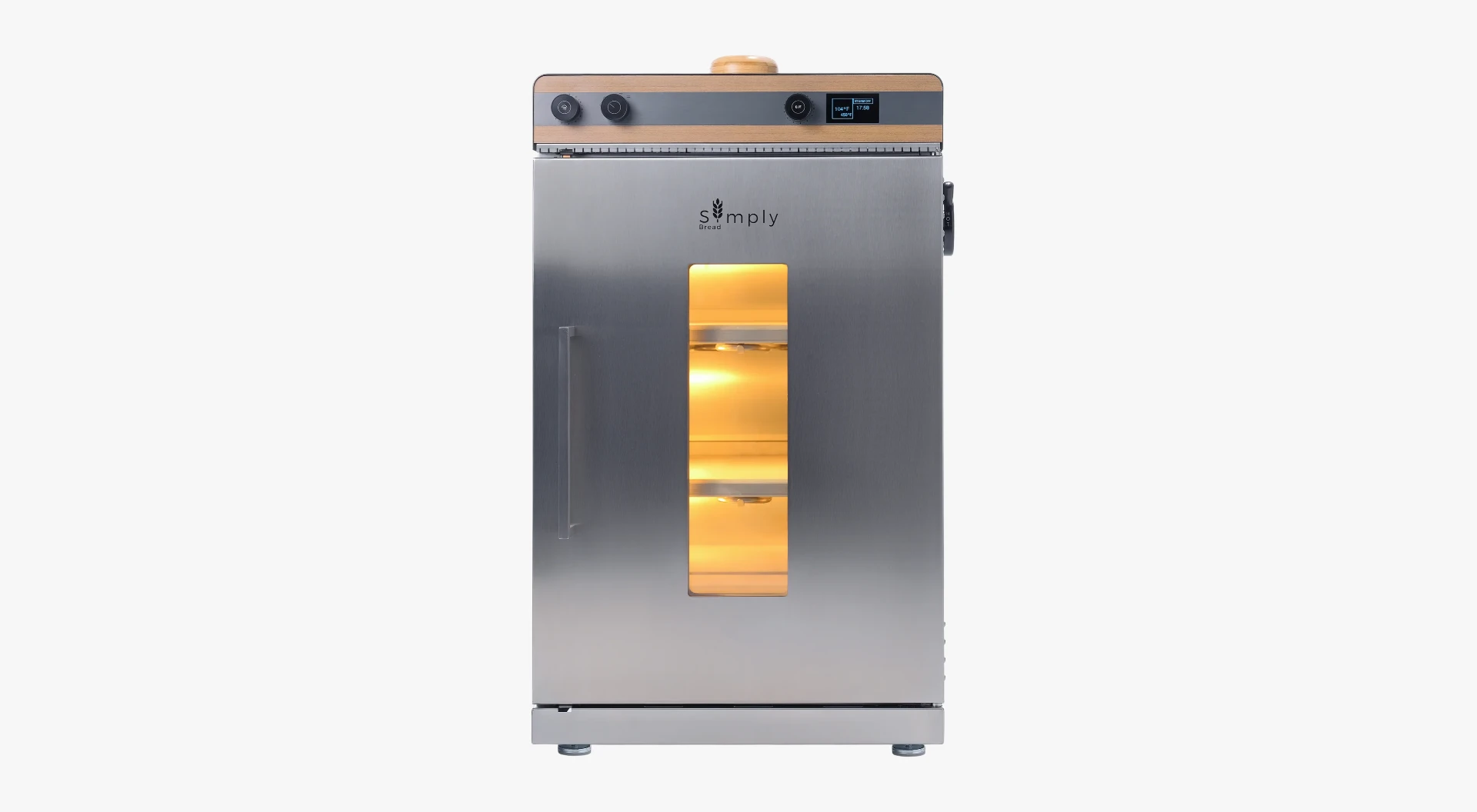
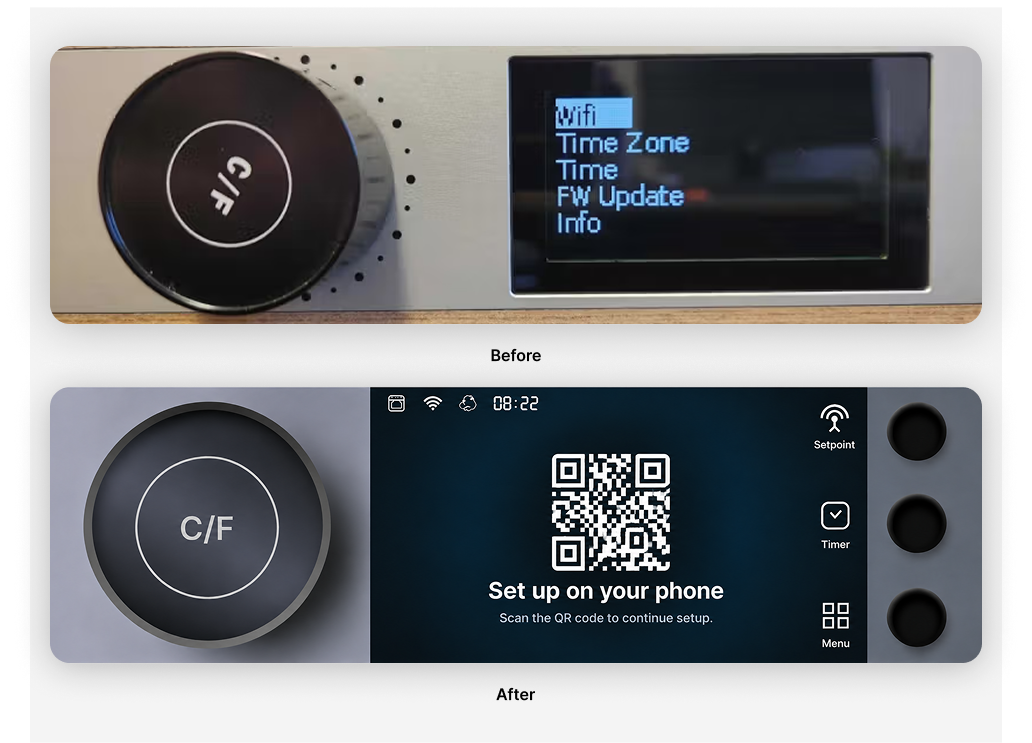
When I joined, there was no connected-oven experience to build on. The oven's display looked like an old analog readout, everything was controlled with two knobs, and bakers had no proper way to set the oven up, connect it, or check on a bake from their phone.
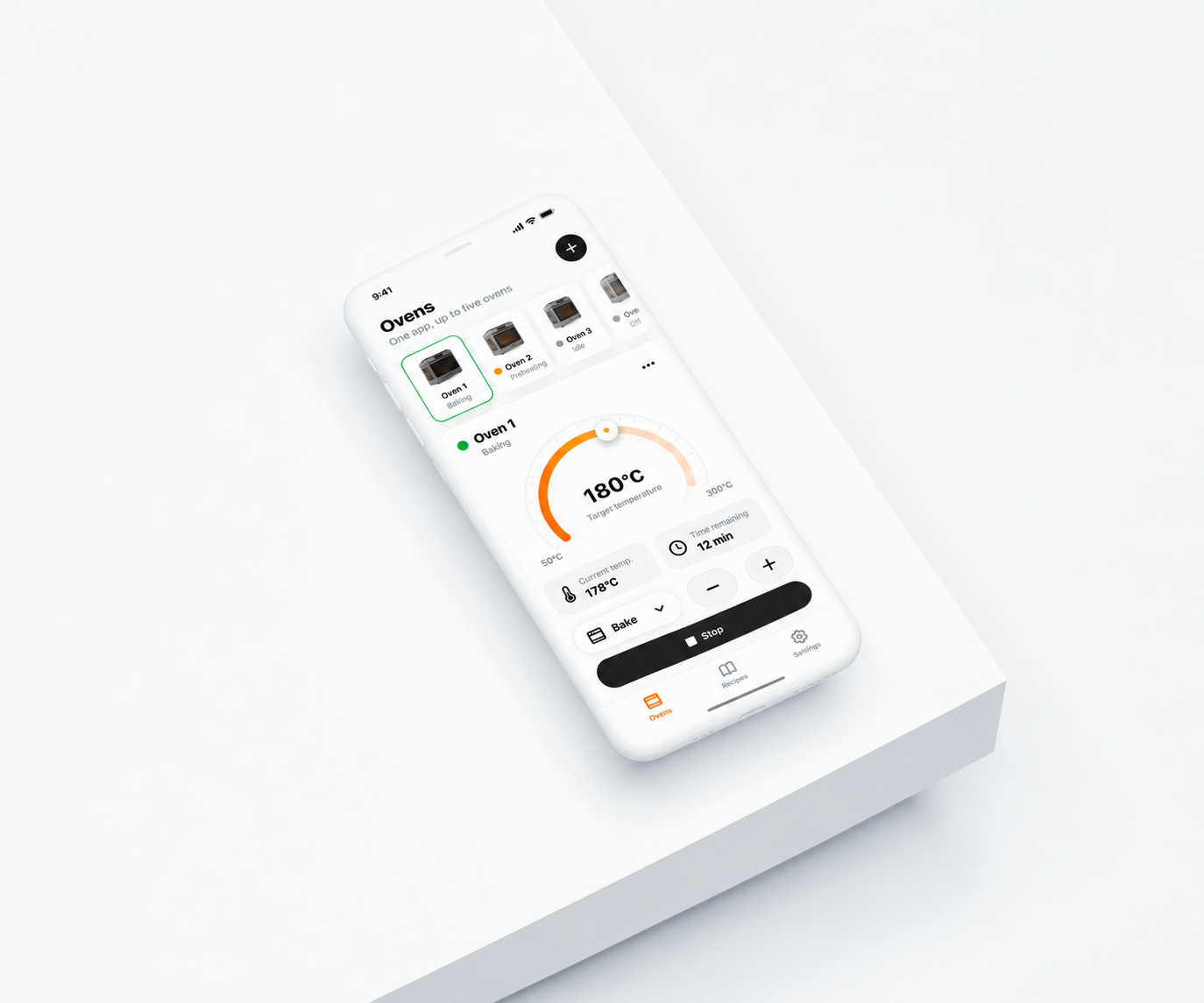
That left several hard problems landing at once. How do you make a modern interface work with two knobs and no touchscreen? How does a baker get an oven onto Wi-Fi when typing a password with a knob is close to impossible? How should one app handle up to five ovens, and what should it show when the Bluetooth connection drops but the oven keeps baking?
Underneath all of it was one requirement. At any moment, the baker had to be able to trust what the oven was actually doing, without having to keep walking over to check.
Every flow, with just two actions
What I did
I designed both ends of the system: a new interface for the oven's own display, and the mobile app that connects to it. I treated them as one product with two different jobs. The oven handles what a baker needs while standing in front of it. The phone handles everything that is easier from a distance or with a keyboard, like preheating the oven and setting a delay start while still on their bed.
I redesigned it so every flow works with just two actions: turning and pressing.
Temperature Control
Set and adjust baking temperature.
Steam Control
Manage steam during baking.
Baking Timer
Set and monitor baking duration.
Delayed Start
Schedule a baking session up to 12 hours ahead.
Live Baking Progress
Display baking status, remaining time and session progress.
Bake Setup & Controls
Configure, start and manage baking sessions.
Wi-Fi setup through a QR code
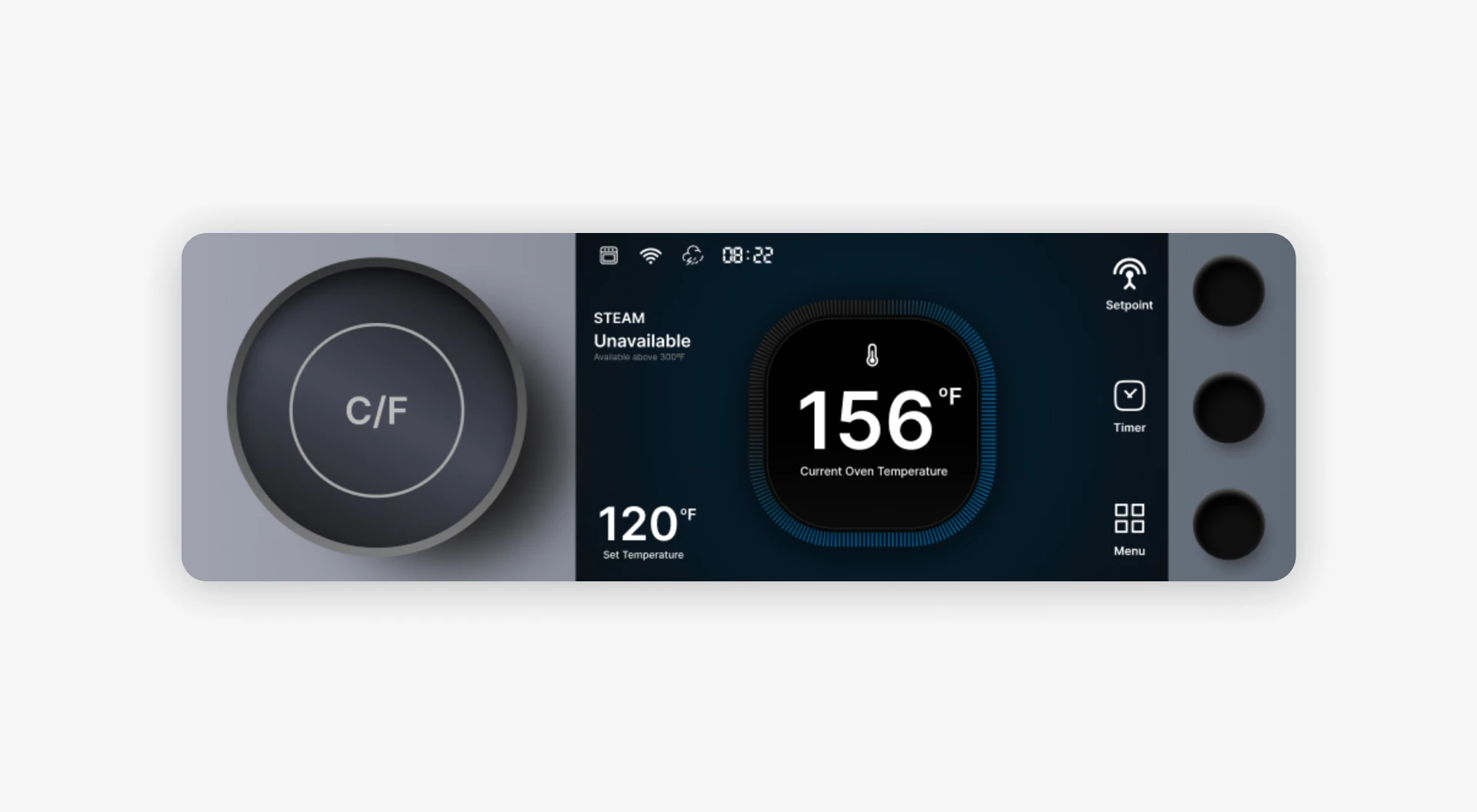
Rather than make bakers enter a network password with a knob, I moved that part of setup to the phone. The oven generates a QR code on its display, the baker scans it, and they complete the setup on their own device.
One app, up to five ovens
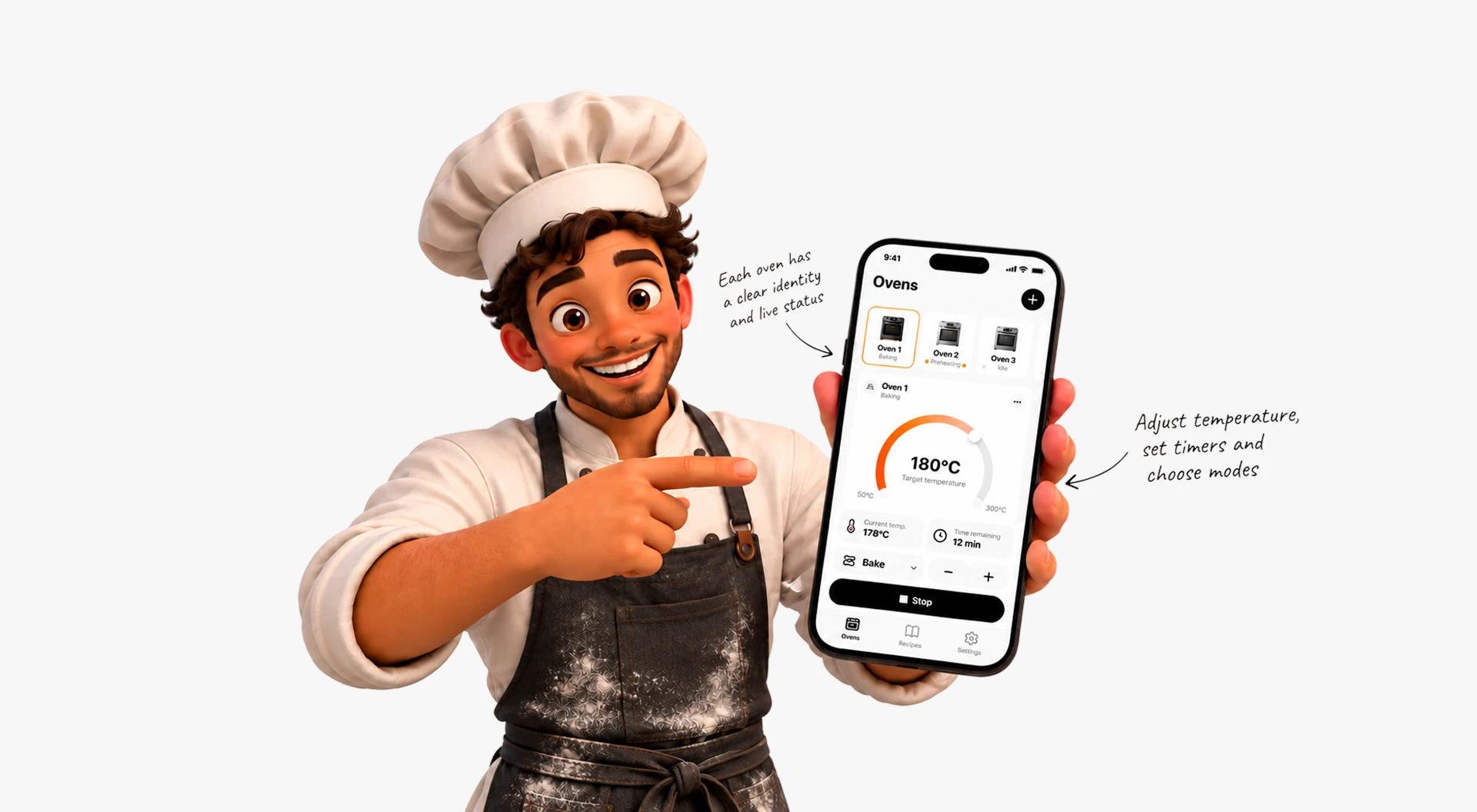
The app connects to up to five ovens over Bluetooth. I gave each oven a clear identity and a live status in the app, so a baker can see which oven is doing what. Every command gets visible feedback, so they know it reached the right oven and actually took effect.
Designing for dropped connections
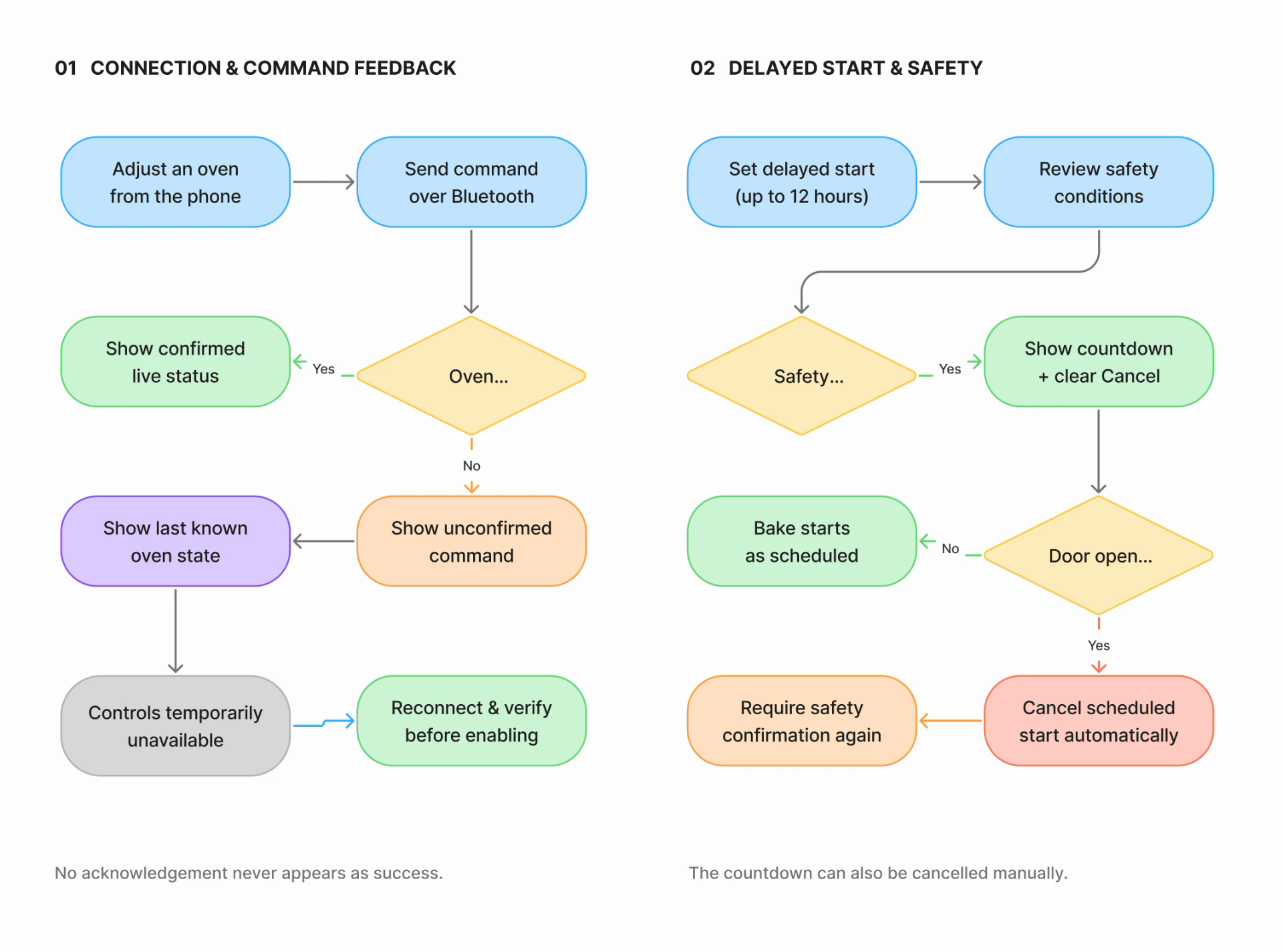
I designed separate states for a disconnected phone, a command that has not been confirmed, and the oven's last known status, along with the flows for reconnecting and for controls that are temporarily unavailable. The rule I worked to was that the app should only show what it can confirm.
I designed a safety confirmation step before bakers could schedule a delayed start. Once confirmed, the oven displayed a countdown with a clear Cancel option. Opening the oven door or losing power would automatically cancel the scheduled start, requiring the baker to confirm again.
Why: to prevent the oven from heating unexpectedly when conditions may have changed.
The bake-day rule
The problem
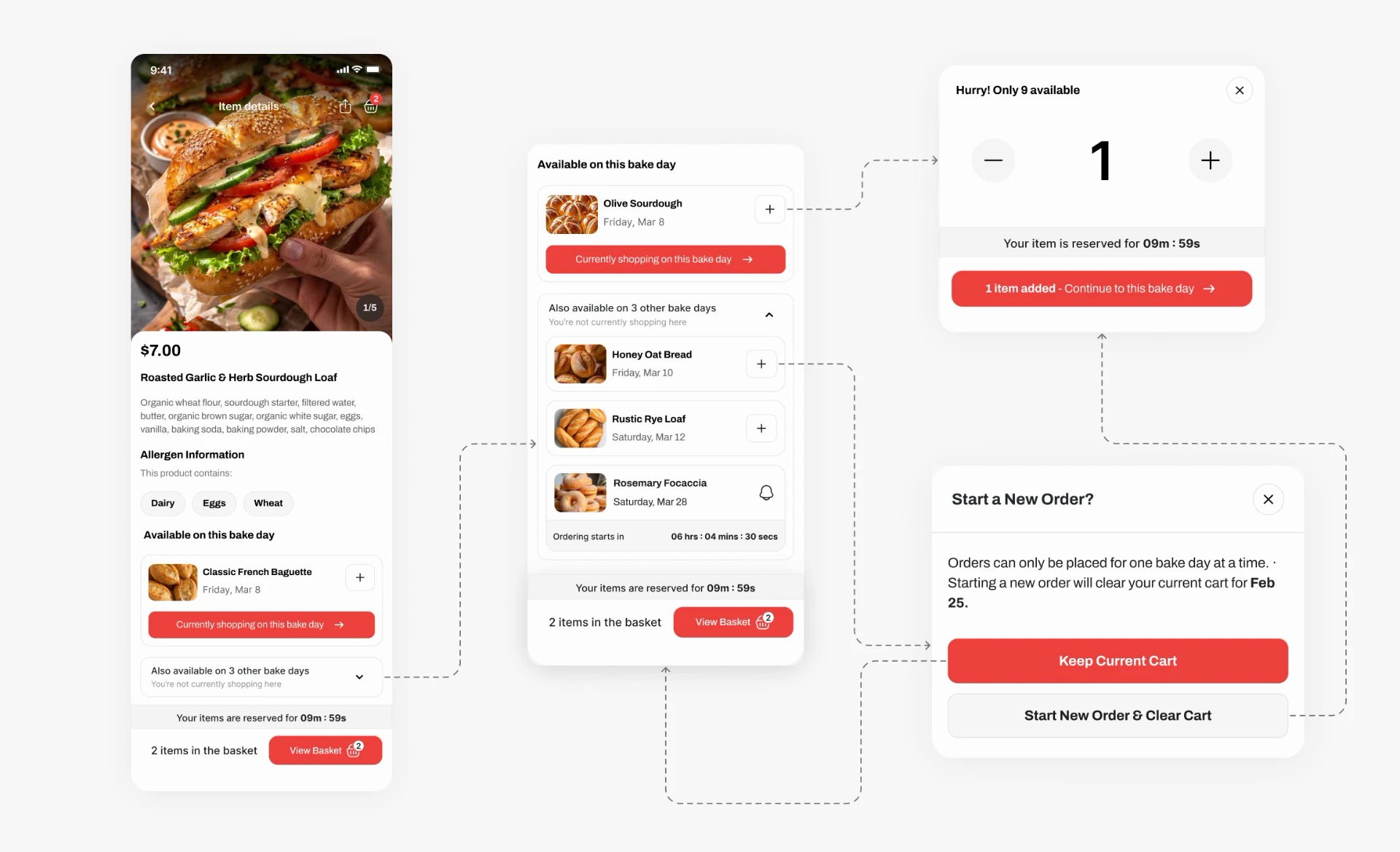
Customers could not combine products from different bake days in one order. Internally that made sense, because bakers plan production around bake days. Customers do not think that way. If I want bread on Friday and cookies on Saturday, I should not have to place two separate orders.
I started by looking at the cart, and realised the restriction came from how orders and bake days were linked underneath. Before, if a customer already had a product from one bake day in their cart and tried to add one from another, the product made them delete one to keep the other.
I redesigned the cart to hold items from different bake days, grouped by bake day. A customer can add whatever they like, then choose which bake day to check out, whether it is one that is already open or one coming up. Bakers still get the production and fulfilment details they need for each day.
Redesigning the platform
The problem
Screens were inconsistent, navigation was sometimes confusing. The two major problems I discovered during the redesign were these. First, Simply Bread only operated in Canada and the US, but it had no way of knowing how many bakers elsewhere wanted to use it. The dashboard showed site visits, and that was about it. Nothing in the product captured real interest from outside those two countries.
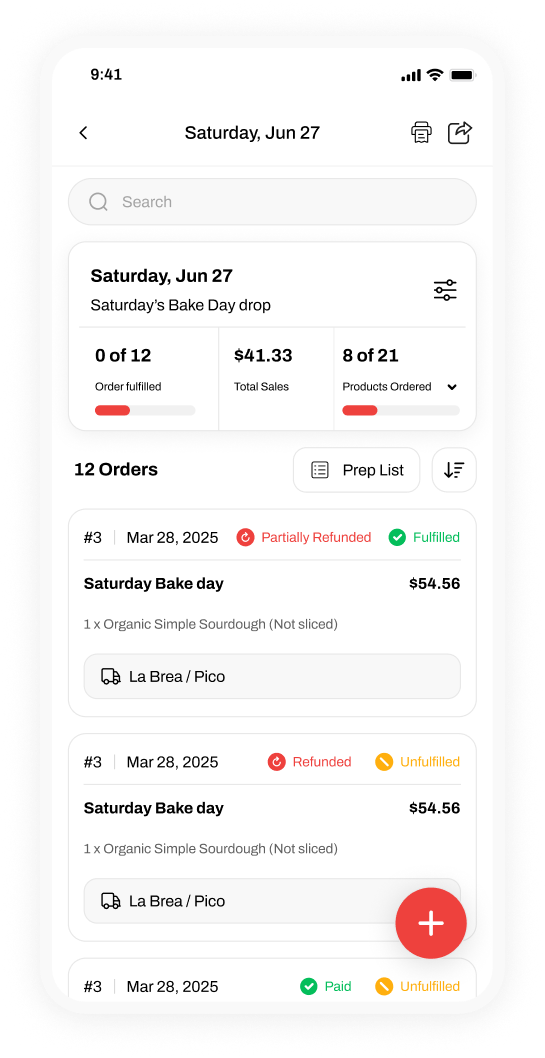
Second, once a baker set up a bake day, there was no easy way for them to tell people it was live. A bake day only sells if customers know about it, and the product left that part entirely to the baker.
What simply bread looks like before redesign
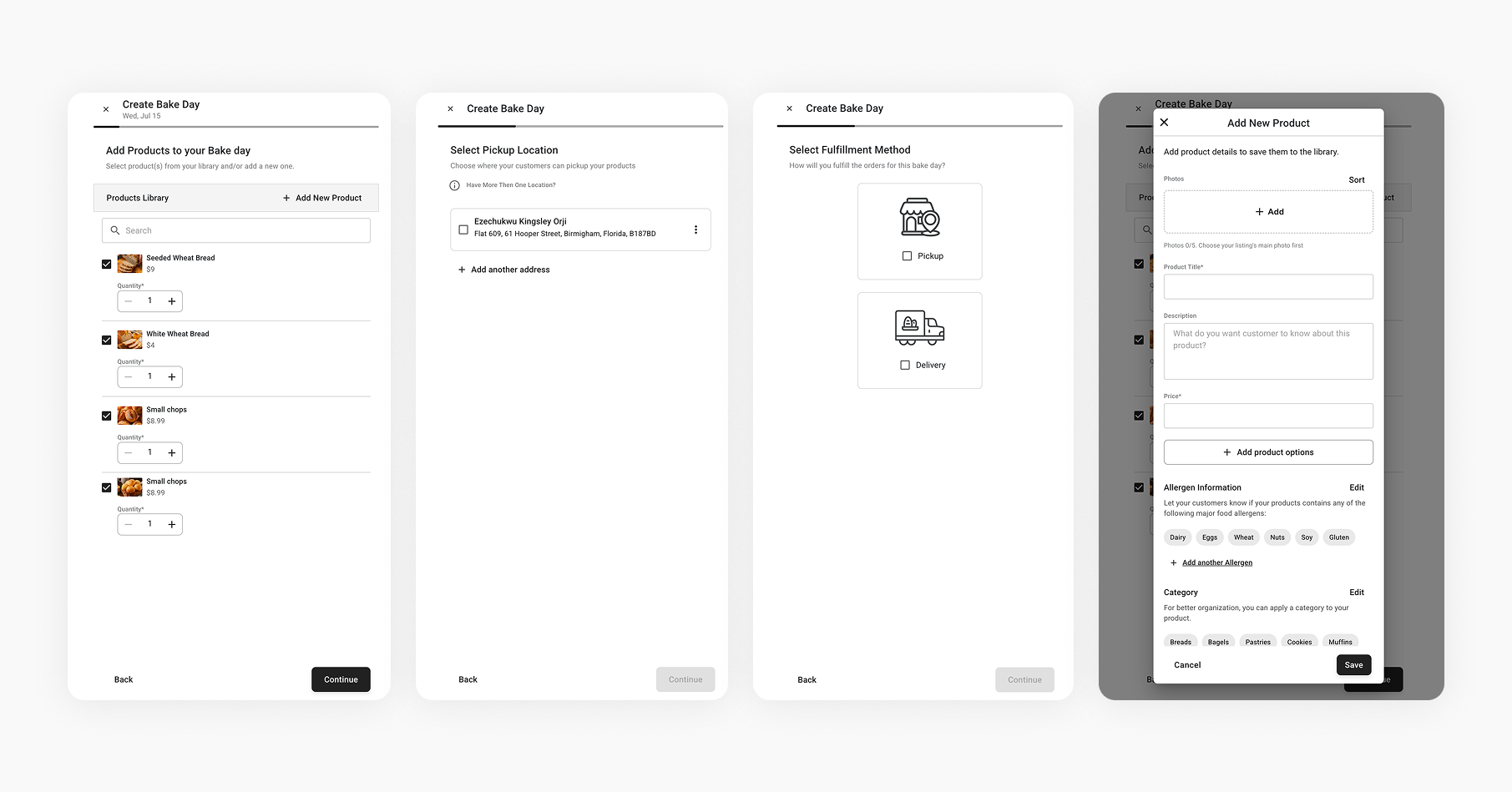
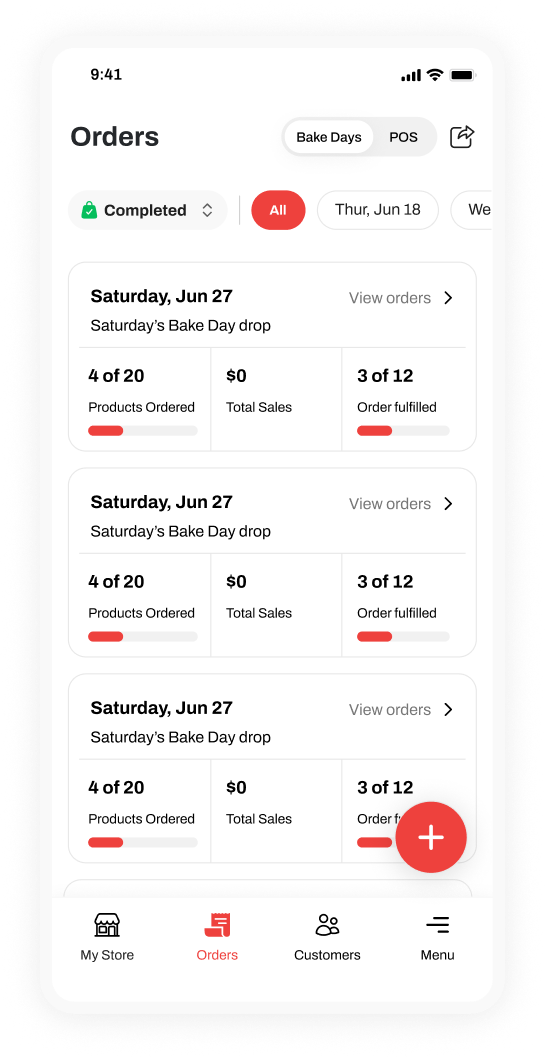
Before changing how anything looked, I worked out what people were trying to get done. Bakers manage products, orders, payments, customers and fulfilment. Customers want to find something they like and buy it. I reorganised the hierarchy, simplified workflows, and redesigned the web and mobile experiences around those two very different needs.
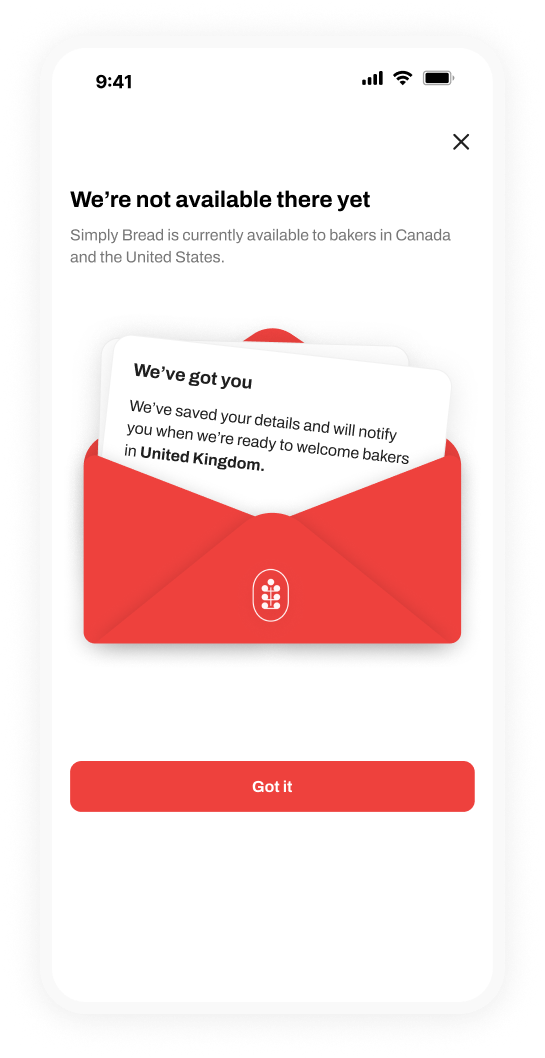
I changed the sign-up flow so that, after registering, a baker chooses their country and enters their phone number. If they are outside Canada and the US, we capture that and tell them Simply Bread is not in their location yet, and that we will let them know when it is. For the first time, the business could see real interest from other markets instead of guessing from site traffic. Bakers in Canada and the US go straight through to onboarding.
I also simplified that onboarding. New bakers used to have to configure almost everything before they could use the product, like forcing them to create their first bake days, FAQs, fees etc. I cut the first step down to basic details and moved the rest of the setup into the product, where bakers fill it in when they need to.
Then I designed a flow for getting the word out. A baker adds their products, sets up a bake day, and can share it straight away on WhatsApp and other social media. Sharing became part of creating a bake day, so bakers could reach more customers.
The design system and AI
As the sole designer, I kept running into the same inconsistencies across the platform. Fixing buttons, forms and interactions one screen at a time was slow, so I built a design system with reusable components, patterns and states. It kept the product consistent and gave engineers a clear reference when building new features.
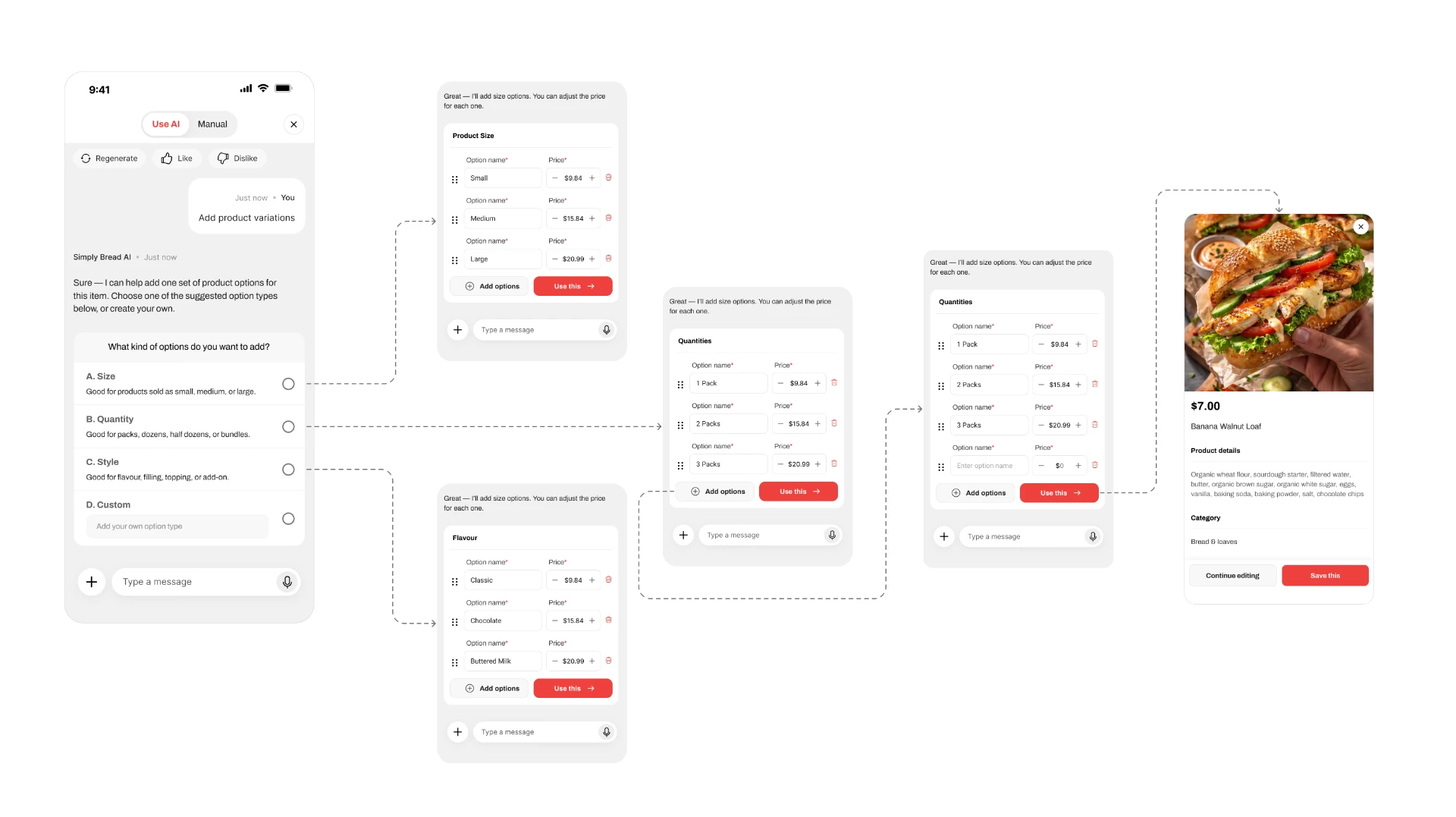
I also designed AI-assisted product descriptions, images and variations. Bakers can review, edit, regenerate or discard anything the AI produces, and nothing is accepted automatically. The AI is there to save bakers time, and the baker always has the final say.
The outcome
Over the year, I delivered the redesigned baker and customer experiences, the iOS and Android app, the redesigned oven display, the connected-oven experience, a sign-up flow that captures demand outside Canada and the US, simpler onboarding, bake-day sharing, the bake-day ordering change, a design system and AI-assisted product creation.
The Simply Bread app is on the App Store and Google Play.
Looking back
The oven was my first hardware project, and I had never baked before I joined. Learning how the machine behaves and how a baker's day actually runs, at the same time, taught me that the work that matters most often sits below the interface.
If I had the chance, I would track the redesigned screens properly: onboarding completion, bake-day shares, mixed-bake-day carts, and interest from outside Canada and the US. That would show the impact instead of me describing it.